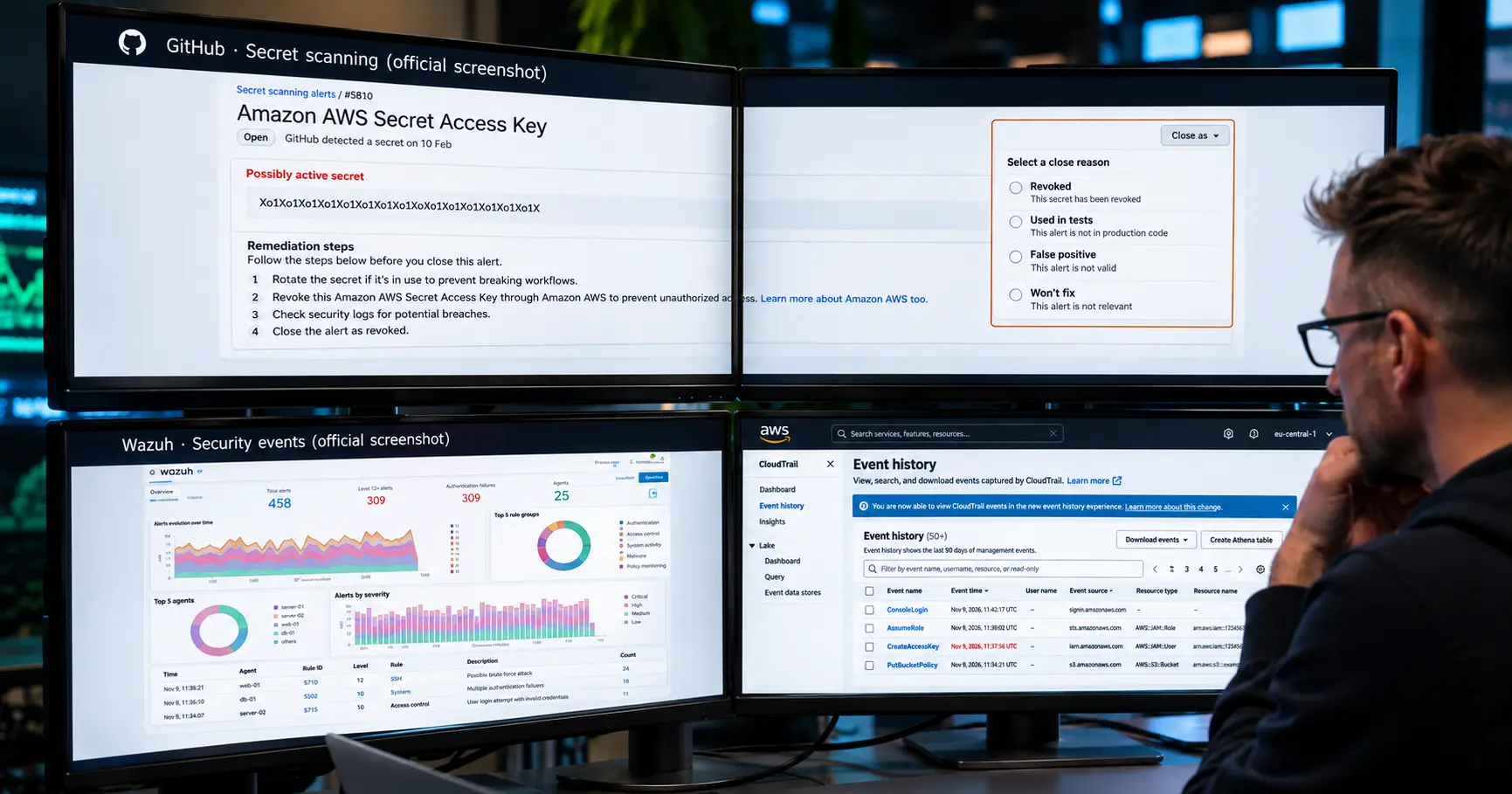
In October 2026, alarming cybersecurity headlines appeared to tell one story: artificial intelligence had discovered critical weaknesses, cloud platforms had been breached, and attackers were using automated agents against company websites. Some reports made it sound as if much of the internet had been hacked overnight. The documented incidents tell a more useful—and more precise—story.
Was the Internet Really Hacked?
No credible evidence establishes that 70% or 80% of the internet was compromised in one attack.
What October did bring was a series of serious but distinct cybersecurity events. Some involved newly disclosed vulnerabilities. Others involved confirmed intrusions, stolen credentials, manipulated software releases, or AI-assisted attacks against individual organizations.
Those distinctions matter. A vulnerability is a weakness that might be exploited. An attempted exploitation is an effort to use it. A confirmed compromise means unauthorized access or activity has actually been established. A service taken offline as a precaution is not necessarily a service that was hacked.
Consider five cases documented by affected companies, security researchers, and reporting published during October 2026:
| Incident | What the evidence supports | What it does not establish |
|---|---|---|
| PHP2Shell | Researchers demonstrated critical vulnerabilities in PHP; fixes were released. | That every PHP website was breached. |
| Railway | An attacker gained access to internal systems and potentially exposed some customers' environment secrets. | That every Railway account or project was taken over. |
| Zeabur | An attacker used compromised credentials to access infrastructure and data. | That every hypothesis about the initial entry point has been proven. |
| LiteLLM | A compromised release pipeline distributed malicious version 1.107.0. |
That every installation or every LiteLLM version was compromised. |
| Cairn-related campaign | Researchers documented attackers using AI agents against many websites, with reports of successful intrusions. | That AI independently chose all targets or that all targeted sites were breached. |
These incidents were not established as one coordinated global attack. They do, however, highlight weaknesses that can combine in dangerous ways: old bugs, excessive permissions, exposed secrets, trusted software updates and automated exploitation.
1. PHP2Shell: A Critical Bug Is Not the Same as a Mass Breach
On October 21, 2026, PHP published security updates for critical vulnerabilities now widely discussed under the name PHP2Shell. Researchers at Wiz described problems in the PHP engine itself, including flaws related to memory handling that could, under applicable conditions, permit unauthorized remote code execution or disclosure of sensitive memory.
The two reported identifiers were CVE-2026-109618 and CVE-2026-109619.
Why did this attract so much attention? PHP is used by a large share of websites, including sites built with WordPress, Drupal and other publishing systems. Wiz cited a figure of roughly 70% of websites using PHP. That is a measure of the technology's prevalence—not a count of hacked websites.
There is another important distinction: the existence of a vulnerable software version does not prove that an attacker successfully exploited a particular server. Configuration, exposure, mitigations and patch status all affect the real-world risk.
In a follow-up dated October 27, Wiz said it had observed a limited number of exploitation attempts in its telemetry but had not seen them succeed there. That statement described the research team's observations at that time; it cannot guarantee that no exploitation occurred anywhere else.
The valuable lesson is not that the internet stopped working. It is that a weakness in a widely deployed component can expose many different applications—even when those applications did not introduce the bug themselves.
What website owners should do
If you operate a website using PHP:
- Identify the actual PHP runtime version running on the server, not just your WordPress or application version. Ask your managed hosting provider if you cannot see it.
- Check the official PHP security advisory and your operating system vendor's security notices. Some distributions deliver backported fixes without changing the visible upstream version number in the expected way.
- Apply the relevant patched package or supported vendor fix. Updating a theme or plugin is not a substitute for a vulnerable PHP runtime update.
- Check whether the application or PHP service is publicly exposed, and use your provider's approved temporary mitigations if an immediate patch is not possible.
- Review relevant security alerts and server logs for suspicious activity; if you suspect compromise, preserve evidence and obtain incident-response assistance.
If you are simply a visitor to a site, you cannot patch its server yourself. Do not assume your passwords were stolen because the site uses PHP. Watch for an official notice from the service and use unique passwords and multifactor authentication to reduce the damage if credentials are exposed.
Primary sources: PHP security advisory · Wiz PHP2Shell research · Wiz follow-up on exploitation attempts
2. Railway: Why Cloud Environment Variables Can Become a Target
In its October 22 preliminary report, Railway confirmed unauthorized access to a subset of its internal systems during an attack spanning October 20–22.
Railway said the intruder obtained access to internal components and that some encrypted customer environment variables were potentially exposed; the investigation identified circumstances in which a subset could be decrypted using compromised credentials.
Environment variables frequently store information that applications need to operate: database passwords, API keys, service credentials, signing secrets and payment-provider tokens. Keeping such values outside source code is better than hardcoding them in a public repository, but it does not make them immune to a hosting-platform breach.
Railway estimated that at most 1.85% of its workspaces, approximately 100,000 workspaces, had some environment variables potentially compromised. It also said a larger group of customers received precautionary notifications or provider-side key revocations. Receiving a revocation email, by itself, was not proof that a particular customer's key had been read.
During containment, Railway paused builds and deployments. Its report says existing running customer applications remained online. A planned or emergency pause in a build system should not be mistaken for an attacker taking down every hosted website.
Railway's preliminary assessment indicated that the attacker was seeking high-value AI provider credentials. The report did not establish the complete final scope of the intrusion.
If your application runs on a cloud platform
A security incident involving the hosting provider should prompt you to examine downstream services, not just the hosting dashboard.
Start with an inventory of secrets stored in the affected environment. For each key, identify who issued it, what it can access, where it is used and whether it has been rotated. Prioritize production databases, GitHub integrations, payment processors, AI APIs and keys that can create new infrastructure or authorize other identities.
Revoke the old credentials at the issuing provider, generate replacements, update dependent services and verify that the application works. Check authentication logs, deployments, API usage and bills for activity outside your normal patterns.
Do not assume that changing the password for the hosting dashboard also invalidates keys issued by GitHub, your database provider or your AI vendor. Those credentials often live in separate systems.
If you use Railway, follow its own incident guidance and relevant account notifications rather than relying on a generic checklist alone.
Primary source: Railway — Preliminary Report: Oct 21st Security Incident
3. Zeabur: Old Keys Can Outlive the Incident That Exposed Them
Zeabur reported an intrusion affecting its shared infrastructure, some managed dedicated servers and internal systems on October 14–15, 2026.
Its investigation described the use of compromised internal credentials, including cloud keys and administrative tokens. According to Zeabur, the attacker accessed service configuration information and environment variables, read information in database services and reached the platform database.
The company's report distinguishes confirmed events from hypotheses. For example, it considers a connection to an earlier August incident possible, but says the original acquisition path for some credentials has not been conclusively established. A responsible account of the case must preserve that uncertainty.
An especially useful detail is what happened after the earlier incident. Zeabur reported that some sensitive credentials present in a private configuration repository were not rotated, even though another compromised key had been replaced. Keys that remain valid can create risk long after the original warning has been closed.
Zeabur also reported that a GitHub App private key was accessed during the October incident. A GitHub App's authority depends on its installations and granted permissions. Exposure of its private key is therefore a serious repository-access concern, even when investigators have not established that particular repositories were subsequently read or modified through it.
For customers, the consequences can extend beyond the platform itself. A leaked AI API key, for example, could be abused to generate requests and charges. Zeabur later advised customers to rotate stored credentials and examine third-party bills. It also announced plans to cease operations on December 31, 2026; customers should review migration and backup arrangements. The company discussed a suspected case of unauthorized use of a customer's OpenAI key but explicitly did not claim to have proved that its October incident was the source of that key.
The practical lesson: rotate the whole access chain
When one administrator credential or integration key is compromised, ask whether it had the ability to read other secrets.
A cloud key may reveal deployment variables. A deployment variable may unlock a database. A GitHub integration may grant access to repositories and workflows. A signing key may allow new authentication tokens to be created.
Replacing the first visible credential is not sufficient if the attacker could already have copied dependent credentials. Build a list of what each exposed identity could access, revoke the relevant keys and check whether permissions or configuration were changed.
Backups deserve special attention. If a backup contains old or newly rotated secrets, an attacker who can still read backups may recover credentials even after a rotation. Secure the backup access path before assuming newly issued secrets are safe.
Primary sources: Zeabur — October 2026 Security Incident · Zeabur incident status and user guidance
4. LiteLLM: Removing a Leaked Secret From GitHub Was Not Enough
This may be the most immediately useful case for developers who use GitHub, automation or AI tools.
On October 21, 2026, a compromised LiteLLM release pipeline published malicious litellm==1.107.0 packages to PyPI and container registries. LiteLLM said the compromised artifacts contained credential-stealing malware and additional remote-code execution capability. It removed the affected releases and published incident and investigation reports.
The attack chain began months earlier. On May 27, a configuration file containing an administrative key for an internal LiteLLM Agent Platform deployment was committed to a public GitHub repository.
The file was removed roughly three hours later, but the key was not revoked. It remained valid. The historical commit also remained accessible in the repository's public history until October.
On October 10, according to LiteLLM's completed investigation, an attacker used that old key to access the agent platform and extract a GitHub CLI OAuth token associated with an organization owner. The attacker then obtained other tokens and used GitHub workflows and release permissions to prepare a malicious publication.
On October 21, the compromised release was distributed through legitimate package channels. A download from an official package registry can still be dangerous if the supplier's release process has been compromised.
This case contains several distinct failures: an exposed credential, incomplete revocation, excessive GitHub privileges, access to CI secrets and compromise of a trusted release process.
What to check in your GitHub organization
- Secret scanning: Review alerts for credentials in public or private repositories where supported, including historical commits.
- Push protection: Enable GitHub's supported protection so recognizable secrets are blocked before they reach a repository.
- GitHub Apps: Review every installed app, its repository selection and the permissions it has been granted. Revoke installations you no longer need.
- Personal and OAuth access: Prefer narrowly scoped, short-lived credentials where practical. Avoid giving automation an organization owner's broad, persistent authority.
- GitHub Actions: Review what secrets workflows can access, who can modify workflow files and who can approve releases. Treat changes to a release workflow as security-sensitive.
- Dependencies: Monitor trusted maintainer advisories, lock dependencies to reviewed versions and evaluate artifact integrity where available.
Most importantly: deleting a key from a repository is not revocation. GitHub's own guidance says a leaked secret should be treated as compromised; removing the file, making another commit or recreating the repository does not make the original credential safe.
What if you installed the affected LiteLLM release?
Check the official LiteLLM advisory for the exact affected packages and guidance. If the malicious version was installed or executed, do not treat a simple package upgrade as a complete incident response. Consider the host and the credentials available to that process potentially compromised; isolate affected systems as appropriate, preserve relevant evidence and rotate exposed secrets from a trusted environment.
If you run a company system, involve your security team before deleting files or rebuilding machines. The precise response should reflect whether the malicious artifact was merely downloaded, installed or actually executed and what privileges it had.
Primary sources: LiteLLM — The Attack Chain Behind v1.107.0 · LiteLLM initial security advisory · GitHub — Remediating a Leaked Secret
5. AI Agents Were Used in Attacks—but That Does Not Mean AI Hacked the Internet
A separate October investigation examined criminal use of Cairn, an open-source platform for coordinating AI agents.
Reuters reported on October 19 that a researcher from NorForge observed a campaign in which a threat actor directed automated agents at more than 1,200 websites. The research and reporting described intrusions into sites belonging to more than 100 companies. The amount of data obtained, if any, was not established for all targets, and reports about individual companies included important qualifications.
The distinction between targeted and breached remains essential. Even a successful compromise of a website does not automatically mean that its entire parent company's infrastructure or every customer's data was exposed.
What makes the case significant is the use of automation to accelerate activity previously requiring more human effort: investigating a website, testing potential weaknesses and iterating through tasks. The actor remained responsible for directing the campaign. There is no basis for describing it as an independent AI system launching a global attack on its own.
AI also helped defenders. Wiz publicly credited AI-assisted research with helping identify and validate PHP2Shell weaknesses before coordinated fixes were released. AI use is therefore not proof of malicious intent: context, authorization and observed behavior matter.
What organizations should learn from AI-driven probing
Do not rely on an attacker becoming tired or needing to perform every repetitive step manually. Keep externally exposed software updated, remove unused internet-facing services, restrict administrative interfaces, monitor suspicious patterns and test your incident response.
At the same time, avoid treating every automated request as a successful intrusion. Alerts should distinguish reconnaissance, rejected requests, exploit attempts and confirmed unauthorized access.
Sources: Reuters — AI Agents Used to Breach Company Websites · Wiz — PHP2Shell Research
Why These Incidents Matter Together
The cases are separate, but they reveal a common pattern: access tends to expand when secrets and permissions are not contained.
An old administrative key becomes access to an internal tool. That tool exposes a broader token. A workflow can then reach additional secrets. A cloud platform's environment variables can hold credentials for services outside the platform. A malicious package can run inside a trusted development or deployment process.
None of this means every exposed token was exploited or every affected organization suffered the same damage. It means the security boundary cannot end at the login screen.
For developers and business owners, the key questions are:
- Which systems can each credential access?
- Can the credential create, read or replace other credentials?
- Would a compromised GitHub App or CI workflow reach production?
- Can the organization recognize unusual use and revoke access quickly?
- Are logs and backups available if an investigation becomes necessary?
A scanner can help detect known vulnerabilities, exposed credentials or risky configuration. But a successful scan does not prove that a service is uncompromised, nor can a repository scan alone establish the safety of the cloud runtime, package registry or connected external accounts.
A Practical Security Check for Developers and Small Teams
You do not need to operate a large security department to begin reducing risk. Start with the assets that give access to everything else.
First: Secure your identities
Use unique passwords, a trusted password manager and phishing-resistant multifactor authentication or passkeys where supported. Review active sessions, recovery methods and access granted to third-party apps.
For GitHub, look at account and organization settings, authorized OAuth applications, installed GitHub Apps, fine-grained tokens and recent security activity. Remove access you do not recognize or no longer use.
Second: Inventory and restrict secrets
List credentials used by your application: cloud keys, database passwords, AI provider keys, payment tokens, email service credentials and signing secrets. Record the owner and permissions of each, not the secret value itself.
Where supported, use narrower scopes, separate development and production credentials, short expiration periods and automated rotation. Avoid handing high-privilege production credentials to experimental AI agents or development tools.
Enable usage alerts and spending limits for third-party APIs when available. They are useful controls, not guarantees against loss.
Third: Review your software supply chain
Keep dependencies updated based on vendor advisories and test updates before deploying. Examine unexpected new maintainers, package sources or changes in build behavior. Prefer reproducible builds, locked versions and verified artifacts where practical.
For CI/CD, restrict who may edit workflow files and who may approve a production release. Give workflows only the permissions required for their job; use short-lived credentials and workload identity mechanisms where your provider supports them.
Fourth: Check the production environment
A secure repository does not automatically mean a secure server. Confirm runtime versions, network exposure, database access restrictions, backup access and monitoring. Review the security notices from your cloud and hosting providers.
Fifth: Prepare a response before you need one
Know how to pause deployments, revoke API keys, disable GitHub App access, contact providers and preserve logs. Maintain a backup and restore procedure that you have actually tested.
Do not put real secrets into public issue reports or online tools while asking for help.
If You Receive a Breach Notification, Do This
An incident email can be genuine, and criminals can also imitate one. The safest path is to open the provider's official website or application yourself, rather than following an unexpected message link.
Then determine which action applies:
| Your situation | Your next step |
|---|---|
| Provider reports a vulnerability but no account-specific exposure | Follow verified patch guidance; monitor announcements and your own systems. |
| Provider says your environment credentials may have been exposed | Revoke and rotate affected keys at the issuing services; review access logs and costs. |
| You committed an API key to a repository | Revoke the key, create a replacement and investigate possible use; deleting the commit is not enough. |
| You installed a confirmed malicious package | Stop using the affected environment, involve incident response and assess host and credential exposure. |
| You notice unknown sessions, transactions or charges | Secure the account via the official service, preserve records and report unauthorized activity promptly. |
| Your organization may hold personal data affected by an incident | Involve the responsible security and privacy teams to assess contractual and legal notification duties. |
When uncertain, prioritize the actions that prevent further access: revoke compromised credentials, isolate affected infrastructure when appropriate and preserve evidence. Rotating a key on a still-compromised system may expose the replacement too, so verify that the attacker no longer has access.
What Can OSINT Verify—and What Remains Unknown?
Open-source intelligence can help investigators identify public advisories, domain records, repository history, exposed assets, malicious package versions and published indicators of compromise.
It can also help compare timelines and determine whether separate reports independently support the same conclusion.
But public information has limits. A matching IP address can be shared by multiple users or proxies. An AI tool mentioned in a report is not automatically the attacker. A vulnerable website is not automatically a breached website. And a suspected link between two incidents must remain a hypothesis until there is sufficient evidence.
A useful investigative standard is to label findings clearly:
- Confirmed: directly supported by reliable records or the incident owner's disclosed evidence.
- Reported: attributed to a named organization's statement or investigation.
- Assessed: supported by analysis, but not conclusively proved.
- Unknown: not established by the available evidence.
This separation is not bureaucracy. It protects investigations from exaggeration, false accusations and misleading conclusions.
Axon OSINT's approach to digital investigation is built around traceable sources, relevant connections and evidence-based interpretation. The goal is not to produce the largest graph of connections, but to explain what each connection can genuinely support.
Where to Get Help
If you suspect fraud, credential theft or unauthorized access, contact the affected provider through its official support channels. For a work system, notify your employer's security team. Report financial crime or cybercrime to the appropriate authority.
| Country | Official resource |
|---|---|
| Germany | Polizei Onlinewache for police reports; BSI for security guidance |
| France | Cybermalveillance.gouv.fr and 17Cyber |
| Italy | Polizia di Stato and CERT-AGID |
| Spain | INCIBE, cybersecurity helpline 017 |
| Poland | CERT Polska for incident reporting |
| United Kingdom | Report Fraud for England, Wales and Northern Ireland; Police Scotland for Scotland |
| Australia | Australian Cyber Security Centre |
| United States | FBI Internet Crime Complaint Center |
| Ukraine | Cyberpolice of Ukraine |
These services have different responsibilities. Some provide advice; others accept security reports or criminal complaints. Use the route appropriate to your location and incident.
The Lesson From October 2026
October did not establish that AI had hacked most of the internet. It demonstrated something more specific—and more actionable.
A critical bug can sit unnoticed inside widely deployed software. A credential removed from a repository can remain valid. A cloud platform can hold keys to services outside its own boundaries. A familiar package registry can deliver malicious software when its release pipeline is compromised. AI can accelerate the search for weaknesses for both authorized researchers and criminals.
The answer is not panic or abandoning digital services. It is better verification, smaller privileges, timely updates, effective secret rotation, careful dependency management and clear incident response.
The best time to find out what an API key can access is before someone else uses it.
Sources and Further Reading
- PHP — Official Security Notices, including the October 21, 2026 security updates.
- Wiz Research — PHP2Shell: AI Uncovers Critical RCE Vulnerabilities, October 21, 2026.
- Wiz Research — PHP2Shell Exploitation Attempts and Remediation Trends, October 27, 2026.
- Railway — Preliminary Report: October Security Incident, October 22, 2026, with later updates.
- Zeabur — October 2026 Security Incident: Preliminary Report, October 19, 2026.
- LiteLLM — The Attack Chain Behind the v1.107.0 Release, October 23, 2026.
- LiteLLM — Security Incident Advisory, October 21, 2026.
- Reuters — How One Hacker Used AI Agents to Break Into Scores of Sites, October 19, 2026.
- GitHub Docs — Remediating a Leaked Secret.
- GitHub Docs — Enabling Push Protection.
Editorial note: This article is based on public disclosures available through November 10, 2026. It reviews selected incidents mentioned in broader online discussions, not every claim in any particular video. Company investigations, estimates and reported effects may change as new evidence emerges. The incidents are presented separately; their inclusion does not imply a common perpetrator or a coordinated campaign. Security checklists are general guidance, not additional findings from the affected companies' investigations.
About Axon OSINT
Axon OSINT is a platform for digital investigations and fraud intelligence, focused on examining information, identifying meaningful connections and supporting evidence-based analysis.
In Fraud Education, we explain how digital threats work, which protective steps individuals and organizations can take, and why responsible investigations must distinguish verifiable facts from assumptions.
More articles: Axon OSINT — Fraud Education.