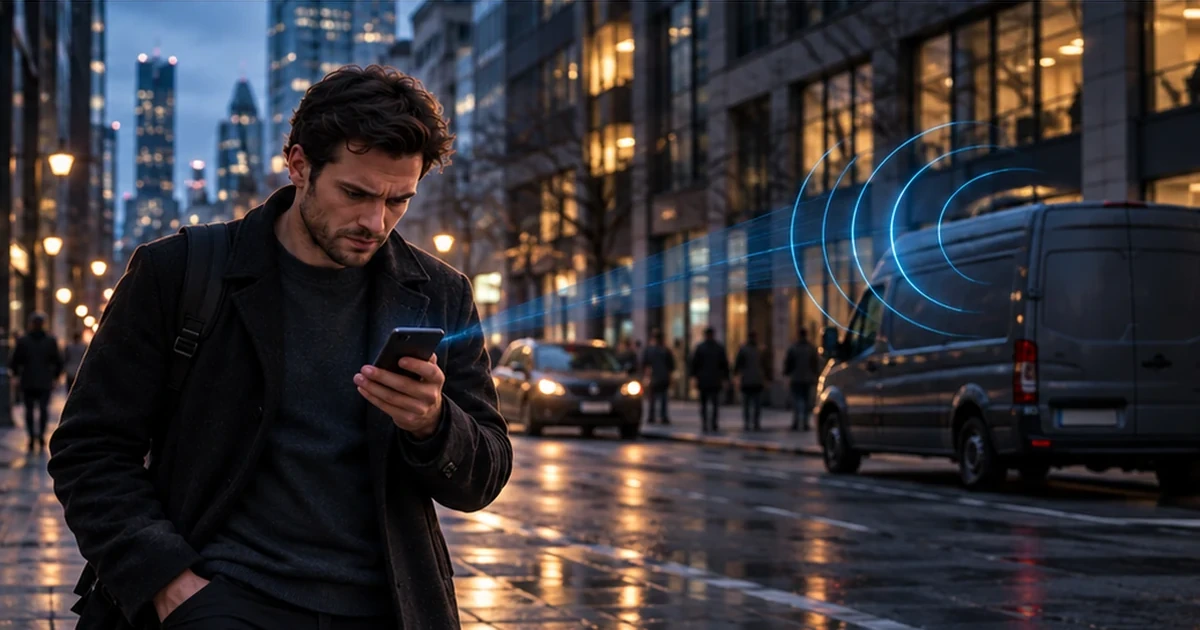
📱 Could Someone Be Listening to Your Phone Calls?
Imagine an ordinary situation.
You're talking on your mobile phone when suddenly the other person's voice starts sounding metallic. The connection breaks up, or you hear an echo during the conversation.
Your first thought is that the mobile network coverage must be poor.
But after watching videos about digital surveillance, some people begin to wonder:
"What if someone is intercepting my calls?"
These concerns are not always justified. Strange noises, echoes, and poor call quality do not, by themselves, prove that someone is listening.
However, intercepting certain types of mobile communications is technically possible.
And one of the reasons involves a technology that has existed for decades: the 2G mobile network.
Let's explore how these attacks work, which threats are real, and which claims are exaggerated.
🔍 Why Are Older Mobile Networks Still a Security Risk?
Today, you're more likely to see 4G, LTE, or 5G displayed on your smartphone.
But that doesn't necessarily mean your device has stopped supporting older generations of mobile networks.
Many phones can still connect to 2G.
This technology was introduced in the early 1990s and developed for a very different digital world.
At that time, mobile network security requirements were significantly different from today's standards.
One important weakness of GSM, the technology used in 2G networks, is the lack of proper mutual authentication between the phone and the base station.
In simple terms, a phone cannot always reliably verify whether it is connecting to equipment operated by a legitimate mobile network provider.
Attackers may attempt to exploit this weakness.
Important: Simply supporting 2G does not mean your phone has been hacked or that someone is listening to your conversations.
It means there is a potential vulnerability that could be exploited under certain conditions.
📡 What Is a Fake Base Station?
Your mobile phone constantly communicates with your network provider's base stations.
These stations allow your device to register on the network, make calls, send text messages, and access mobile internet services.
However, equipment that imitates a legitimate base station can also be used to carry out attacks.
Such devices are known as False Base Stations, or fake base stations.
Mobile security discussions also frequently mention IMSI catchers and cell-site simulators. These terms are related, although the technical capabilities of individual devices may differ.
Some systems can trick nearby phones into connecting to an imitation network or revealing certain identifiers.
Depending on the equipment, network technology, and attack conditions, potential risks may include:
- Collecting identifiers associated with mobile devices or subscriber connections.
- Determining a phone's approximate location.
- Gathering certain information about mobile network activity.
- Sending fraudulent text messages.
- Intercepting certain types of unprotected communications.
An important distinction: not every fake base station can intercept phone conversations.
Its capabilities depend on the specific equipment, available vulnerabilities, and the way the attack is conducted.
🎭 How Can Your Phone End Up Connecting to 2G?
Imagine you're somewhere with unstable mobile coverage.
Your phone attempts to maintain its connection and may use different generations of mobile network technology depending on what's available.
Sometimes, switching to an older network happens for entirely legitimate technical reasons.
However, under certain circumstances, an attacker may use equipment that imitates a mobile network and attempts to force a device to fall back to 2G.
This scenario is known as a downgrade attack.
Why does this matter?
Because the security protections available on older networks may be weaker than those used by modern technologies.
If the attack succeeds, an attacker may gain capabilities that would not be available through a normal, properly secured connection.
However, a phone switching to 2G is not proof that an attack is taking place.
The device may select an older network because of poor coverage, network provider configurations, or limitations of the phone itself.
💬 Can SMS Messages Really Be Intercepted?
Yes, under certain conditions, such attacks are possible.
Security researchers also pay particular attention to equipment used to distribute fraudulent messages by impersonating mobile network infrastructure.
These devices are sometimes called SMS Blasters.
They can cause nearby phones to receive forged text messages and, in some scenarios, bypass traditional SMS filtering mechanisms operated by mobile network providers.
Imagine receiving a message supposedly from your bank:
"Your account has been temporarily suspended. To restore access, follow this link and verify your identity."
The message looks convincing, especially if the sender appears to be a familiar organization.
But the link may lead to a fraudulent website.
The criminals' goal is to obtain your password, payment card information, or other sensitive data.
The main danger is not limited to the mobile network itself. It also comes from people trusting fraudulent messages.
That's why even messages appearing to come from familiar senders should be treated carefully when they contain unexpected requests, suspicious links, or demands for confidential information.
🔊 Are Echoes and Metallic Voices Signs of Surveillance?
This question frequently appears in discussions about mobile security.
For example, during a phone conversation, you might experience:
- An echo of your own voice.
- Brief clicking sounds.
- Metallic or robotic speech.
- Delays in the conversation.
- Repeated fragments of speech.
These effects may seem suspicious.
But none of them, on its own, provides reliable evidence that a call is being intercepted.
There are many ordinary technical explanations, including unstable mobile coverage, audio processing issues, data transmission delays, codec behavior, and problems with network equipment.
Moreover, the absence of unusual sounds doesn't guarantee that communications are secure.
Modern methods of collecting information do not necessarily produce audible interference.
Therefore, you cannot reliably determine whether a call is being monitored simply by listening to its audio quality.
If you suspect an attack, focus on verifiable evidence rather than isolated sound effects.
📲 What About Telegram, WhatsApp, and Signal?
It's important to distinguish between conventional mobile phone calls and calls made over the internet.
A traditional cellular voice call and an encrypted call through a messaging app may use entirely different security mechanisms.
For example, Signal uses end-to-end encryption for its messages and calls.
This means that communication content is protected between the participants' devices.
However, even end-to-end encryption doesn't solve every security problem.
If an attacker gains access to the phone itself, a user's account, or the other participant's device, other methods of accessing information may become possible.
When using Telegram, it's also important to understand the differences between its chat types.
Regular Telegram cloud chats do not use the same end-to-end encryption model as dedicated Secret Chats.
That's why the claim that "all messaging apps provide the same level of protection" is incorrect.
Communication security depends not only on the app but also on its settings, the condition of the device, and the type of communication being used.
🛡️ Should You Disable 2G on Your Smartphone?
On compatible Android devices, disabling 2G can be a useful additional security measure.
Google introduced this capability to help reduce the risk of certain attacks involving fake base stations.
But there's an important distinction.
Disabling 2G and forcing your phone into "4G only" mode are not necessarily the same thing.
The first approach uses a dedicated security setting.
The second may impose much stricter restrictions on which mobile network technologies your phone can use.
As a result, some devices may experience problems with regular phone calls.
Why Can Disabling Older Networks Break Voice Calls?
Many modern smartphones use a technology called VoLTE — Voice over LTE.
It allows regular voice calls to be carried over a 4G network.
However, VoLTE depends on support from the device, mobile network provider, and the specific mobile service connection.
Some older phones may still switch from 4G to 2G or 3G when making traditional voice calls.
This mechanism is known as Circuit-Switched Fallback.
If you force your phone into LTE-only mode while VoLTE is unavailable, regular calls may stop working.
Under certain conditions, access to emergency calls may also be affected.
For this reason, you should never blindly copy network settings from a video without checking whether they are compatible with your phone and mobile provider.
⚙️ How to Check 2G Protection on Android
The names and locations of settings may differ depending on your phone manufacturer, Android version, and device model.
On supported phones, try the following steps:
- Open Settings.
- Navigate to the mobile network or SIM card settings.
- Select the SIM card or eSIM you're using.
- Look for an option related to 2G network access.
- Read the description carefully before changing the setting.
On some devices, the option is called Allow 2G.
In that case, turning the option off prevents normal connections to 2G networks.
On newer Android versions, you may encounter a differently named feature, such as 2G Network Protection.
Here, the meaning of the switch is reversed: enabling protection disables normal use of 2G.
If you cannot find either option, that doesn't necessarily mean something is wrong.
Availability depends on the hardware and software supported by your device.
Avoid using hidden engineering menus, third-party applications, or unverified commands to modify network modes unless you understand their effects.
After changing the settings, make sure mobile internet access and ordinary phone calls still work.
If you experience connectivity problems, restore the previous settings and contact your network provider.
Do not use emergency service numbers to experiment with your phone's network configuration.
🍎 Can You Disable 2G on an iPhone?
The situation is different on iPhones.
Apple provides a special feature called Lockdown Mode, an enhanced security mode designed for users who may be targeted by highly sophisticated cyberattacks.
Among its restrictions, Lockdown Mode disables support for 2G and 3G cellular connections.
However, Lockdown Mode also affects other device features.
Certain app, website, and data-sharing capabilities are restricted.
Apple presents this feature as additional protection against advanced threats, not as a setting that every iPhone owner needs to enable.
Such measures should be chosen based on real security risks and the limitations they may introduce.
⚠️ What Doesn't Disabling 2G Protect You Against?
Even if your phone no longer uses 2G for ordinary mobile connections, that doesn't make it completely secure.
Other threats may still exist:
- Phishing websites and fraudulent messages.
- Malicious applications.
- Stolen passwords and verification codes.
- Account takeover attempts.
- Unauthorized SIM card replacements.
- Compromised devices or online accounts.
- Certain methods of location tracking.
Protecting yourself against one specific vulnerability does not mean you're protected against every possible attack.
Additionally, in areas with poor mobile coverage or while roaming internationally, disabling 2G may reduce connectivity.
Your priority should be not only confidentiality but also the ability to communicate reliably, especially during an emergency.
🕵️ How Can You Tell If Someone Is Really Monitoring Your Phone?
There is no universal warning sign that conclusively proves the presence of a fake base station.
Ordinary users generally cannot reliably identify this type of attack based on a single network icon, strange audio interference, or a brief loss of connection.
Instead of searching for a "secret surveillance indicator," it's more useful to pay attention to verifiable events.
For example:
Unknown account sessions. Review active sessions in your email, messaging apps, and other important services.
Unexpected messages from your mobile provider. If you receive a notification about a SIM replacement or number transfer that you didn't request, contact your provider immediately.
Suspicious applications. Review installed apps and their permissions, especially access to the microphone, camera, messages, and accessibility features.
Unexpected verification requests. Never share verification codes when you haven't initiated the corresponding action.
Fraudulent messages. Save suspicious SMS messages and verify senders through official channels.
None of these signs individually proves that someone is monitoring your calls, but certain combinations of events may indicate attempted fraud or account compromise.
🎯 Why Do You See Ads for Products You Just Talked About?
A similar question often comes up in discussions about digital privacy:
"I was just talking about buying something, and now my phone is showing advertisements for exactly that product. Does that mean it was listening to me?"
Such coincidences can certainly feel unsettling.
But they don't prove that an app was recording your conversation through the microphone.
Advertising systems can use many other signals, including websites you've visited, activity within applications, search queries, approximate location, advertising identifiers, and other available data.
Sometimes, these coincidences are explained by ordinary statistics or by the fact that people become more likely to notice advertisements related to something they've recently discussed.
That doesn't mean unauthorized microphone access is technically impossible.
But reaching that conclusion requires evidence, not simply a coincidence between an advertisement and a conversation.
Reviewing application permissions and restricting unnecessary microphone access is a sensible digital security practice.
🚨 What Should You Do If You Suspect Your Calls Are Being Intercepted?
The most important thing is not to make rushed decisions.
If your phone suddenly switches to 2G or temporarily loses signal several times, that doesn't automatically mean a criminal is operating nearby.
Start with basic troubleshooting: check mobile coverage, network settings, and any known outages reported by your operator.
If you notice additional signs of suspicious activity:
1. Preserve information. Write down the time, location, and nature of unusual events. Save suspicious messages and notifications.
2. Contact your mobile provider. Ask whether any actions have been taken involving your SIM card and whether additional security restrictions are available.
3. Review your accounts. Check active sessions and changes to security settings.
4. Protect important accounts. Use strong passwords, multi-factor authentication, and, where possible, verification methods that don't depend on SMS.
5. Seek professional assistance if you have concrete evidence of a targeted attack, device compromise, or financial fraud.
If you've already suffered losses, notify your bank and report the incident to law enforcement.
❓ Frequently Asked Questions
If I Disable 2G, Does That Mean Nobody Can Listen to My Calls?
No.
Disabling 2G can reduce the risk of certain attacks involving fake base stations, but it doesn't eliminate other ways of compromising your device or communications.
If My Phone Shows 4G or 5G, Am I Completely Protected?
No.
Modern mobile technologies include more advanced security mechanisms, but they cannot guarantee absolute protection.
Does Hearing an Echo During a Phone Call Mean Someone Is Listening?
No.
Echoes can result from ordinary technical problems. They do not, by themselves, indicate that an unauthorized third party is listening.
Why Doesn't My Phone Have an Option to Disable 2G?
Not every manufacturer or device model provides the same mobile network controls.
The availability of this feature depends on your device and its software.
Can I Use Only 4G?
On some devices, yes.
However, you should first confirm that regular voice calls are supported through VoLTE and that the selected mode does not interfere with reliable connectivity.
Do Encrypted Messaging Apps Protect Against Fake Base Stations?
End-to-end encryption can protect the content of messages and calls from interception at the mobile network level.
However, it doesn't eliminate every risk associated with devices, user accounts, or certain types of network metadata.
💚 The Most Important Things to Remember
Fake base stations are real technology, and 2G networks have well-documented security weaknesses.
Disabling 2G on a compatible device can improve security, but you should consider mobile coverage and voice call functionality before changing network settings.
Poor reception, echoes, and unusual sounds are not proof that your conversations are being monitored.
No smartphone setting provides absolute protection against digital threats.
Digital security begins not with fear of sophisticated equipment, but with understanding which risks actually exist.
Keep your devices updated, review your settings, be cautious with unexpected messages, and use modern methods to secure your accounts.
Most importantly, don't let alarming stories encourage you to disable features that you depend on for reliable communication.
Good security should make you safer, not introduce new risks.
🔎 About Axon OSINT
Axon OSINT is a platform for digital investigations, open-source intelligence analysis, and organizing information related to potential fraud.
If you've encountered suspicious messages, an attempted account takeover, or another form of possible digital fraud, preserve any available evidence.
If needed, you can report an incident through Axon OSINT.
Reporting an incident through Axon OSINT does not replace contacting your mobile provider, bank, cybersecurity professionals, or law enforcement when appropriate.